Back

Integrated Module

Service Management for Providers

Record your service appointments, look up past client records by phone number, and keep your entire work history safe and organized in your hands.

Service Management is Zheboo's default mode. Upon opening the app, you can immediately register new jobs, edit previous records to update info, or check past rates to adjust pricing with complete confidence, preventing errors and rework.

Access Service Management

How Job Control Works

Built to streamline a provider's daily workflow, the management flow lets you record, search, and update client files in 3 simple steps:

Step 1

Add New Entry

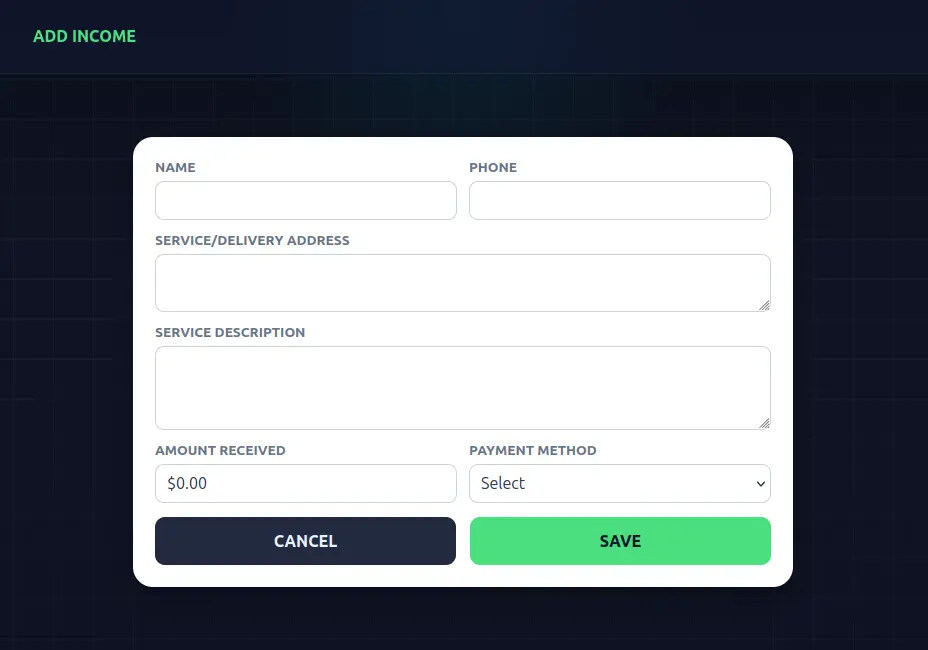
Fill in the appointment details: client name, phone number, address, service description, amount received, and payment method.

View image
Step 2

Save or Print

Choose whether to "Save Only" the record for internal tracking or "Save and Print" to hand the receipt directly to your client.

View image

Step 3

Look Up & Edit History

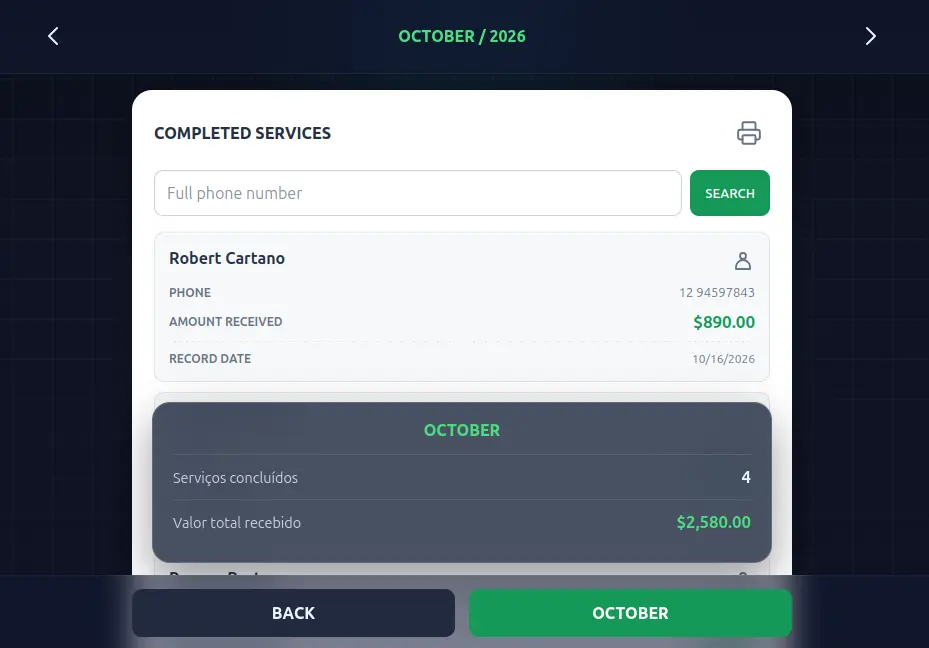
Search past records by typing the client's phone number to review previous rates, adjust prices, and edit past entries if needed.

View image
Quick Phone Lookup

Instantly retrieve previous client jobs by typing just their phone number to check past services and provided warranties.

Edit Past Records

Need to correct a detail or update an entry? Easily modify past records to keep your database accurate and up to date.

Error-Free Price Adjustments

Review rates charged on previous jobs to requote services safely, preventing price discrepancies and ensuring quoting accuracy.

Monthly Revenue Summary

Track the total number of completed jobs and the sum of incoming payments month by month with automated financial consolidation.

Ready to organize your appointments?

Start managing your service jobs today, check past histories, and keep total control of your business right in your hands.

Open Service Management